The Laser Settings System
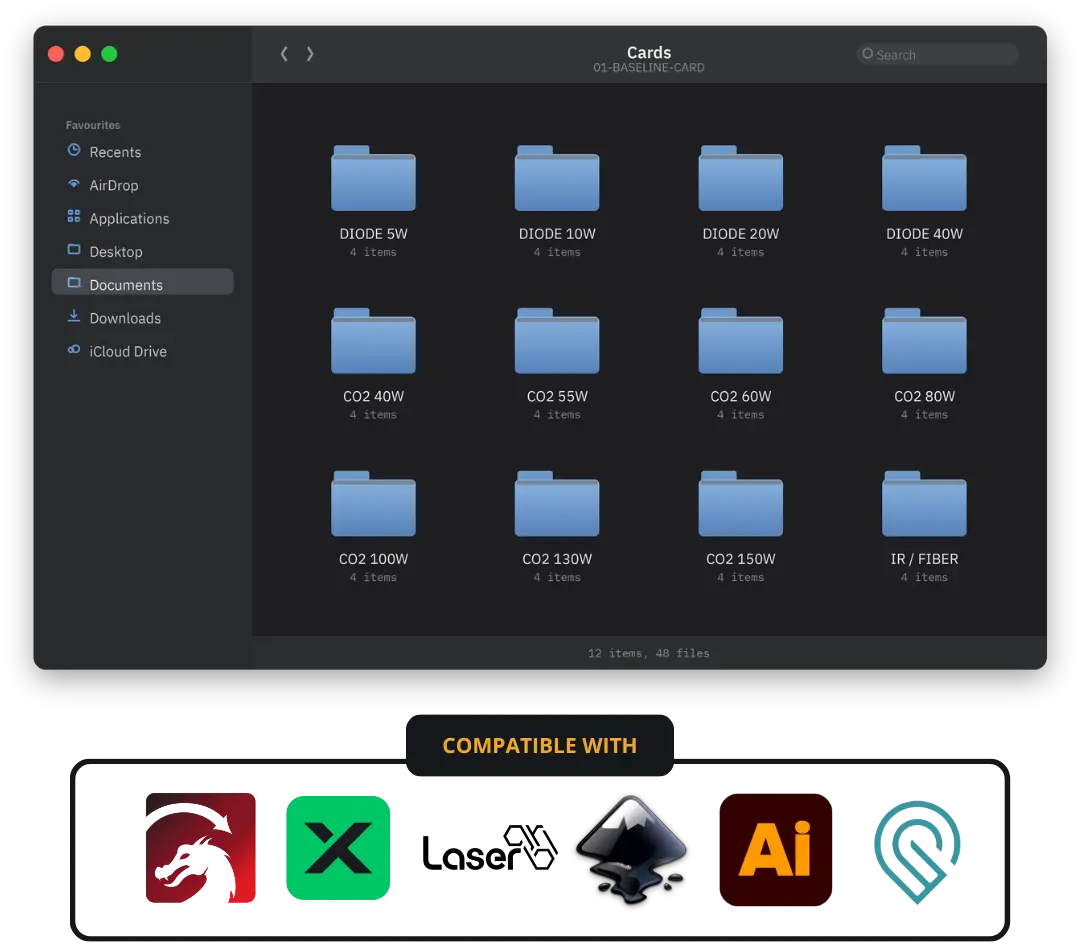
Works with LightBurn, xTool Studio, LaserGRBL and anything that opens an SVG.
- The Baseline Card: 24 burn-ready files, every power band from 5W diode to 150W CO2. LightBurn and SVG
- Day One Start: one page, three steps, a result today. Not a 50 page manual
- The Full Guide plus the Photo and Image Engraving Guide: run every panel, read what comes out
- The Machine-Matched Settings Index: 2,710 starting points, every row shows its source
- 13 LightBurn material libraries (.clb): import once, keep forever
- The Diagnostic Flowchart: machine, material, or settings? One page
- The Baseline Calculator: offline, 83 machines. Names the file to open
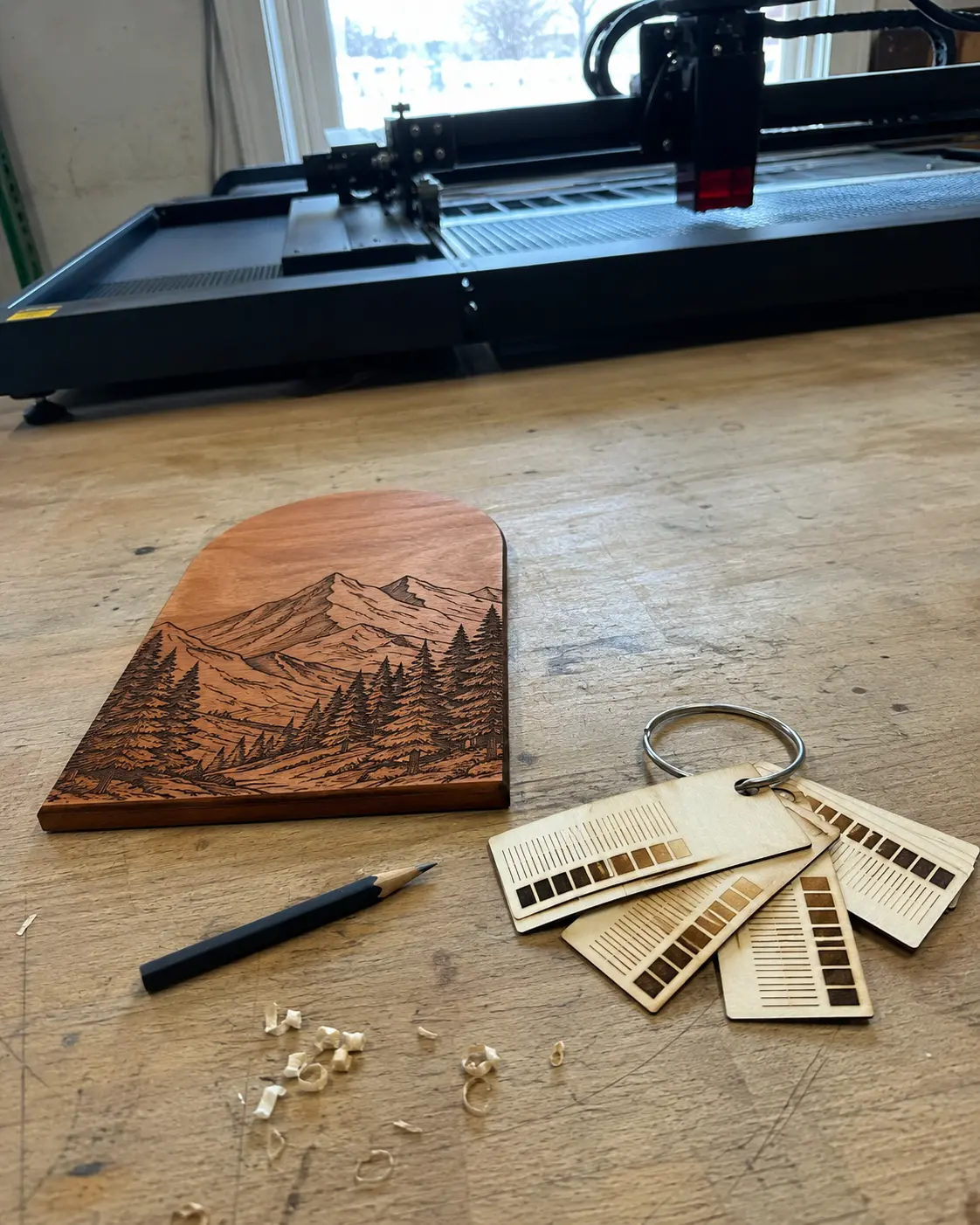
- The card cuts itself out with an archive hole. Off the bed, onto a ring
- Commercial licence included: sell what you make. No royalty, any machine you own
- Lifetime updates, public changelog, works with no internet

![[ burned card + caliper ]](/__l5e/assets-v1/e7fde320-5ad5-45e3-8b85-7536c1086f47/burned-card-caliper.jpg)
“Bought this the night I ordered my S1 - best decision of the whole build honestly. Ran the card two days after the box landed and I actually knew what I was looking at. Would’ve wasted a whole board otherwise"
![[ cards on a metal ring ]](/__l5e/assets-v1/07d4c7d1-4970-4568-8d9f-08cdbc1ce6a2/cards-metal-ring.jpg)
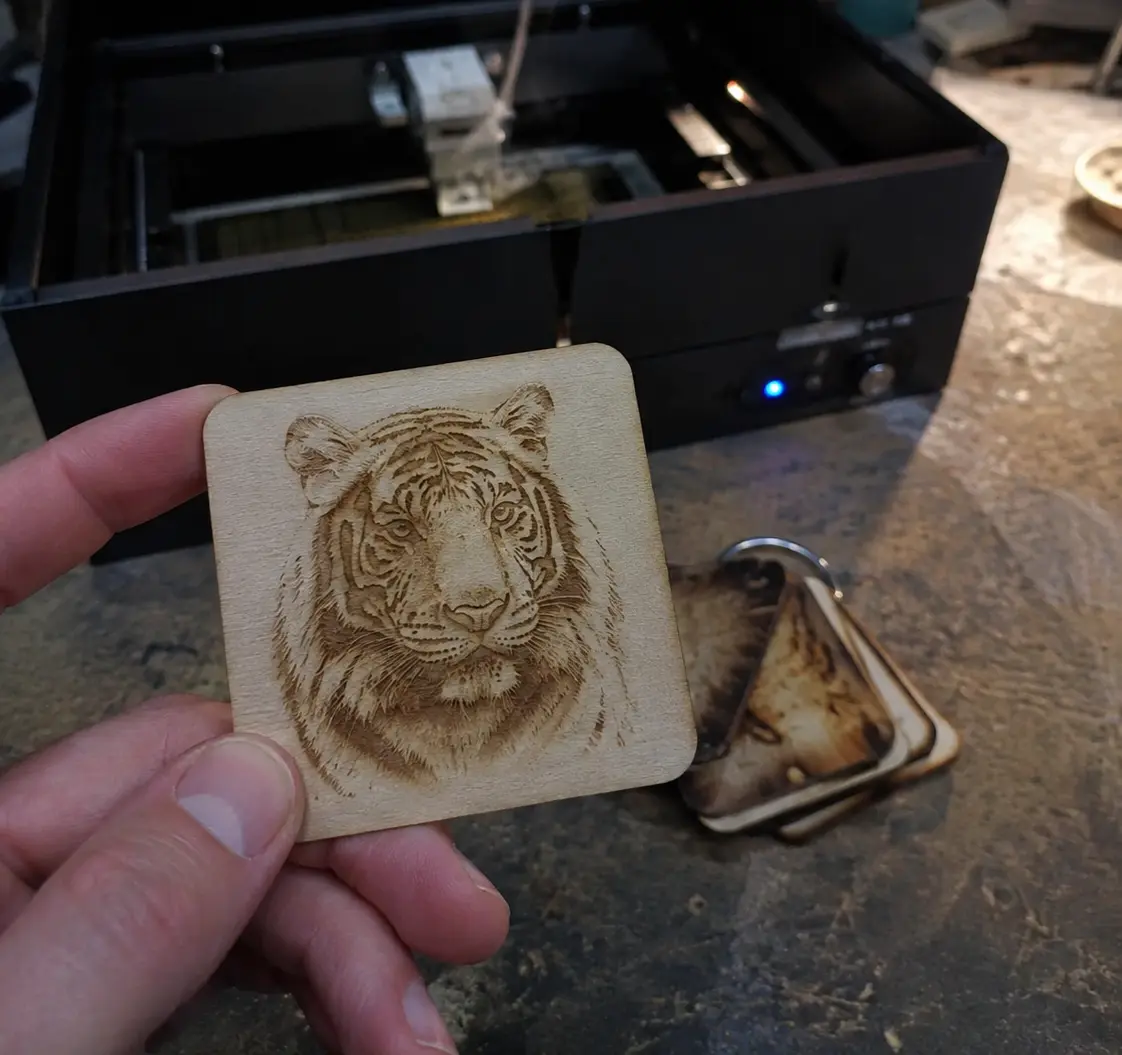
“been struggling with photo engraves on birch for months. tried every dithering trick on youtube, nothing consistent. the photo guide breaks down what actually matters (spoiler: it isnt the dithering setting) and my last 4 portraits came out clean in a row. done second-guessing.”
![[ engraved portrait on wood ]](/__l5e/assets-v1/5c62422c-5ed1-48b9-9fa6-6a3bac208caa/ok-so.webp)
“Ok so I’ve bought THREE of these settings packs over the years and this is the only one that made me finally throw the others out😍 The labels being on the card itself is the thing... no more squinting at a legend trying to remember which row is which!!!”
Four tools.
One job: get you to a number.
Most packs sell you a test with no numbers. The rest sell you numbers with no test. You need both, plus something that tells you which of the two is lying when a job goes wrong. That is what these four do.
The Baseline Card
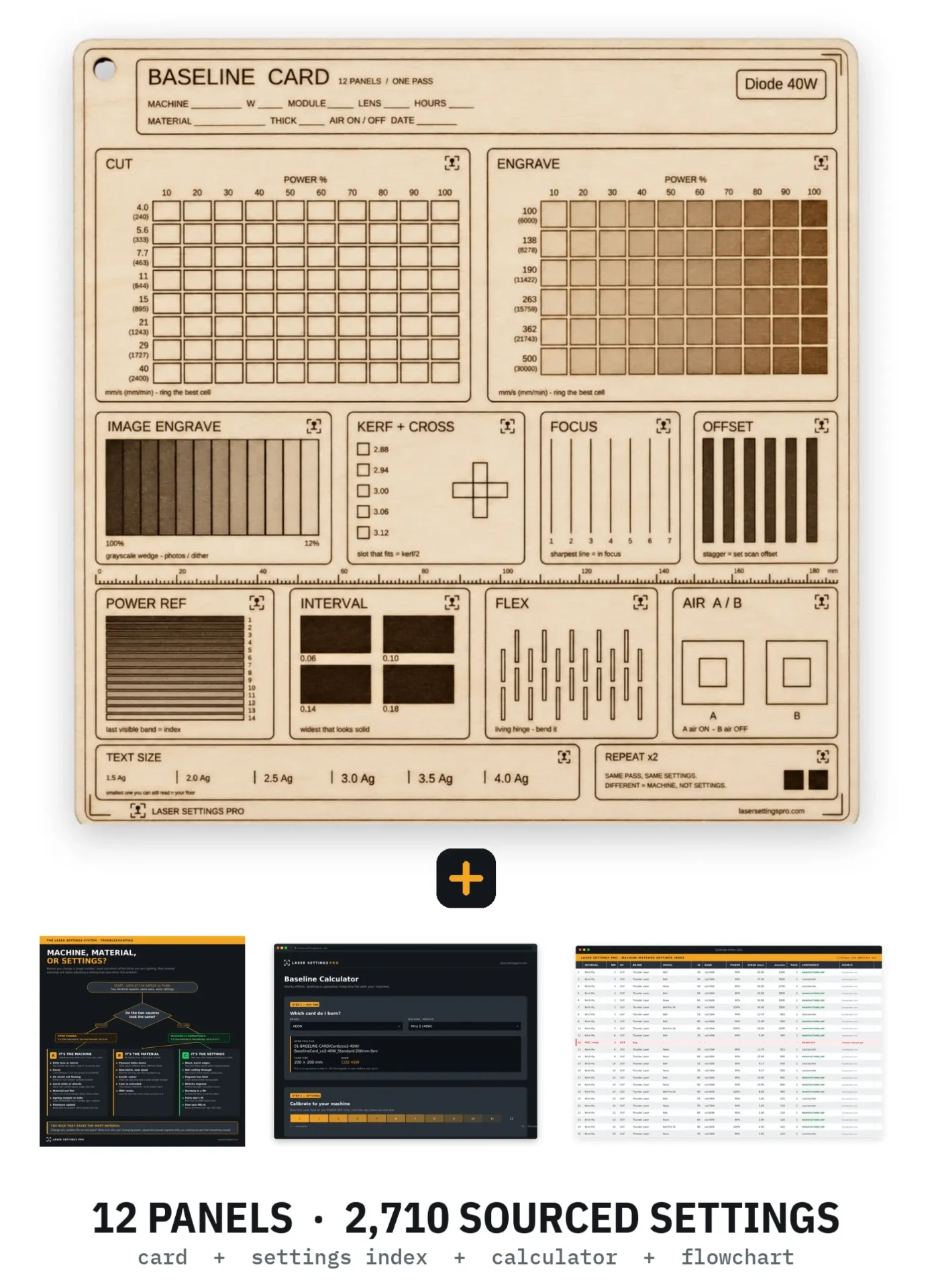
One card. One pass. Twelve panels that answer twelve different questions at once: cut, engrave, kerf, focus, photo range, scan offset, interval, air assist, flex, power reference, minimum text size, and repeatability. Pick your power band, open the file, press start.
- 24 files, 12 power bands, two sizes: all twelve panels at 200mm, the four main tests at 100mm for galvo
- Every cell labelled on the card, mm/s with mm/min. Read the winner off the wood
- Cuts itself out with an archive hole. Straight onto a ring
- Includes Day One Start, The Full Guide and the Photo and Image Engraving Guide
![[ settings index open in a spreadsheet ]](/__l5e/assets-v1/9eb64e8d-3950-4a76-b917-526c933b49bb/settings-index.png)
The Machine-Matched Settings Index
2,710 starting points, sorted by your machine class and wattage instead of by brand. Wood, acrylic, leather, slate, coated metal, anodised aluminium, glass, paper. Both units on every row, so nothing gets pasted into the wrong field.
- Every row names its source: manufacturer, community, or a cited parent row
- mm/s and mm/min on every line. The one way settings tables fail
- Dangerous rows marked red and stay marked. PVC and fibreglass never get a setting
- 13 LightBurn material libraries, ready to import
![[ five failed test pieces + magnifier ]](/__l5e/assets-v1/05df450a-100b-41c3-879b-eb7ae800177a/failed-test-pieces.png)
The Diagnostic Flowchart
- One test splits the problem in two before you change a number
- The machine list, ordered by likeliest cause. Dirty lens is first for a reason
- The material list: knots, batch, acrylic colour, resin. What no setting can fix
- The settings table: symptom left, the one fix right
![[ the calculator open in a browser ]](/__l5e/assets-v1/ce579529-34b0-4944-a116-c9a93666bef3/calculator-browser.png)
The Baseline Calculator
- Pick your machine from 83. It names the file to open
- Works offline in any browser. Nothing installed, nothing uploaded
- Read the POWER REF strip and it turns your machine into a correction factor
- Converts mm/s, mm/min, in/min, DPI, interval and S value. Use anyone's table
- Runs in any browser, on any computer — no install, no account, works offline
- Keep it with your machine. Still works in five years, no internet
What Sells,
and What It Costs You
The moment your first coaster comes out clean, somebody says "you could sell these." This is the page that tells you what it actually costs to make one. Your hours, your material, the diode life you just burned through, the platform fee, the packing. Nine cost lines most people never count. No income claims and no business model. Just the arithmetic that decides whether a product is worth making twice.
Get instant access
Ready in 3 simple steps.
Download
Everything lands in your inbox at checkout. No app, no account, no subscription.
Burn one card
Open the calculator, it names your file. Put a scrap under the laser and run it once.
Read your numbers
Circle the cell that won, punch the hole, put the card on a ring. Those are your settings.
Get instant access to
The Laser Settings System
The download link is in your inbox in under a minute. You can burn your first card tonight.
- The Baseline Card: 24 ready to burn files, 5W diode to 150W CO2, LightBurn and SVG
- Day One Start: one page, three steps, your first result today
- The Full Guide plus the Photo and Image Engraving Guide
- The Machine-Matched Settings Index: 2,710 sourced starting points
- 13 LightBurn material libraries (.clb), ready to import
- The Diagnostic Flowchart: machine, material, or settings? One page
- The Baseline Calculator: offline, 83 machines
- The card cuts itself out with an archive hole
- Commercial licence included, any machine you own
- Lifetime updates with a public changelog
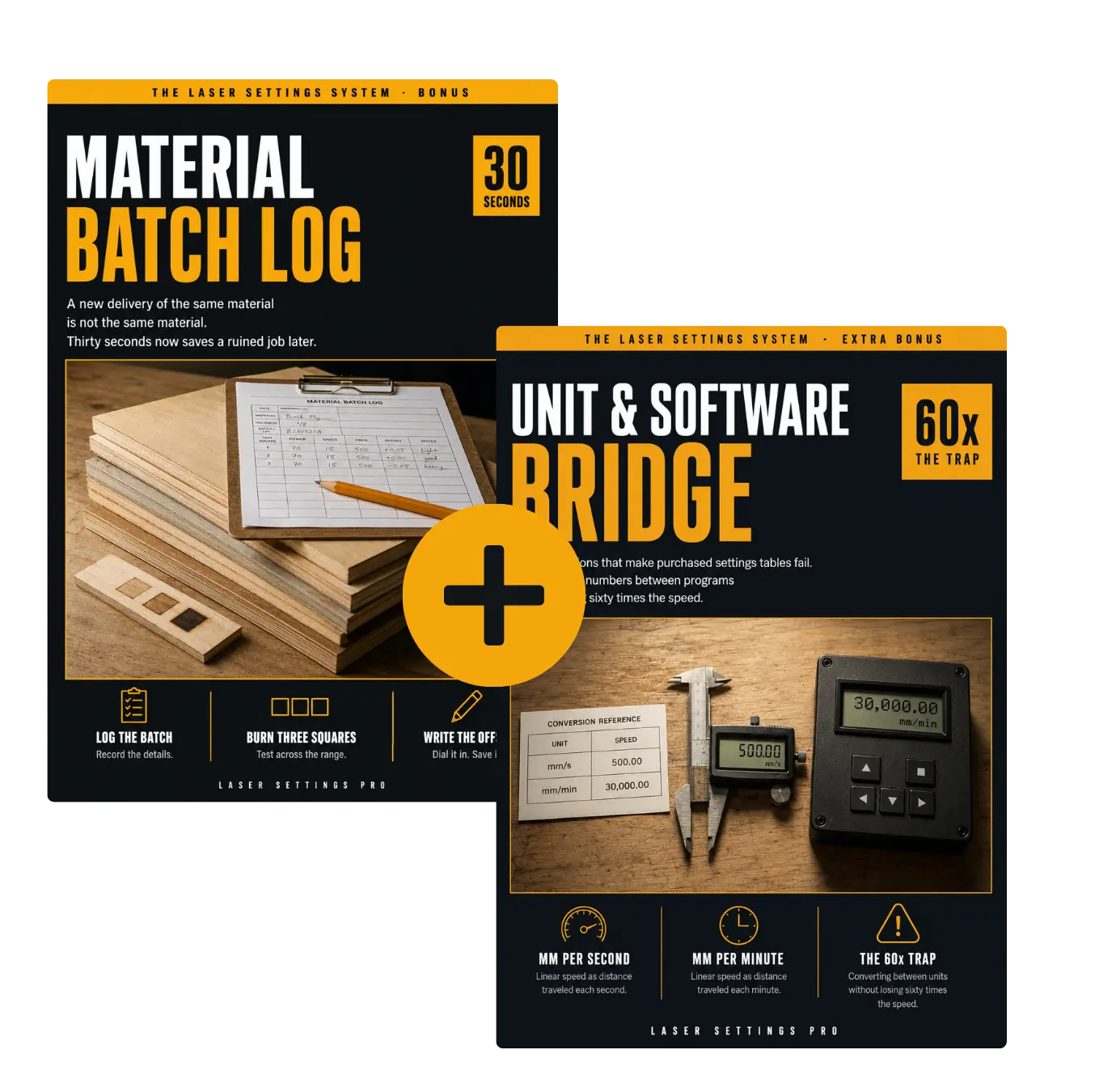
🎁 The Workshop Toolkit: Material Batch Log plus Unit and Software Bridge
We reply within 24 hours
Wait. Your order also includes two more tools.
Two things break settings that used to work, and neither of them is you.
The first is a new delivery of the same wood, which is never actually the same wood. The Material Batch Log is a printable sheet and a thirty second test that catches the shift before it ruins a job.
The second is units. A speed moved between two programs without converting is wrong by a factor of sixty, and it is the number one reason a purchased settings table looks useless. The Unit and Software Bridge has every conversion on two pages: speed, density, and the three different scales people call power.
We got tired of buying settings
nobody had measured.
This category has a reputation problem, and it earned it. A LightBurn forum moderator publicly called these bundles "AI-generated garbage" and he was not entirely wrong. Most of them are a folder of numbers with no source, sold by someone who never touched the material.
So we built it the other way around. Every row in the index says where it came from: published by the manufacturer with the link, licensed from the community database with the entry URL, or calculated from a parent row that is named on the same line. The rows we could not source, we left out. The materials that release chlorine or glass fibre, we refuse to give a setting for, and we say why.
We are not going to tell you these are your exact numbers. Nobody honest can. Every laser, every sheet and every room is different. What we can hand you is the range to search in, the method to narrow it, and a card that records what your machine did on that day. The difference between testing 64 combinations and testing 3 is not talent. It is knowing where to start.
People who stopped testing blind.
“For commission work where you get one shot at the client’s material, this pays for itself the first time you don’t ruin something. Been on a ring next to my machine since day one.”
![[ card on a ring, older cards behind ]](/__l5e/assets-v1/4b62e8c5-f314-4306-bbc9-4b2efe7a2bc8/card-ring.jpg)
“I’m the guy who reads the manual before opening the box. Bought this before my D1 Pro even shipped. When the machine arrived I already had the calculator open and my scrap piece ready in about five minutes😊First burn was dialed in. Cannot overstate how much anxiety this pulled out of the whole first-week thing.”
"I'm 61 and I bought the laser after retiring, which everyone told me was mad. The manual that came in the box assumed I already knew what focus and interval meant. This did not. It starts at 'put a scrap piece under it and press start once' and builds up from there, and by the third evening I had made a sign for my daughter's shop that she actually hung up. I don't write reviews normally but I wanted whoever made this to know it was worth it for someone starting from nothing."
“I ran the free generator once and it told me six hours. Six. I do not have six hours to burn squares I already know will not work. This one took twenty minutes because somebody had already thrown out the combinations that were never going to cut.”
"Don't usually leave reviews but the mm ruler printed along the bottom of the card deserves one. I measure my offcuts against the card itself now. No more hunting for the calipers."
"Bought it for my brother who got a laser for Christmas and was too proud to admit he had no idea what he was doing. He rang me a week later to tell me about it like I hadn't been the one who sent it 😅"
"Thirty seven dollars. I wasted more birch than that in my first week."
"Machine landed Thursday, card burned Thursday night, first real project Saturday. That is the whole timeline. I had genuinely expected to lose a month to trial and error."
"Small gripe, I wanted more coated metal entries and mine needed adjusting from the closest match. Everything else has been solid though and the calculator alone saves me looking things up. Would still recommend."
"Five stars. Obviously."
"I do custom orders so the material is usually the client's and there is no second attempt. Having a card on the ring for that exact wood, with the date on it, is the difference between quoting confidently and quietly hoping. It has paid for itself several times over by now."
"my dog portraits looked like mud for MONTHS. tried every dithering setting on youtube. the photo guide explains what actually matters and it turns out it wasn't the dithering at all. last four came out clean in a row"
"Solid 👍"
"The free generator quoted me six hours of test burns. Six! I laughed and closed the tab. This one had me done in twenty minutes because someone had already thrown out the combinations that were never going to cut."
"I kept assuming I was just bad at this. Turned out I had no baseline to work from and was guessing every single time. Different thing entirely. Wish someone had told me that a year ago."
"mm/s and mm/min on the same line. That is it. That is why I bought it. I have pasted the wrong number into LightBurn more times than I want to admit."
"Not an xTool and it still worked, everything is sorted by wattage rather than brand. Ortur here."
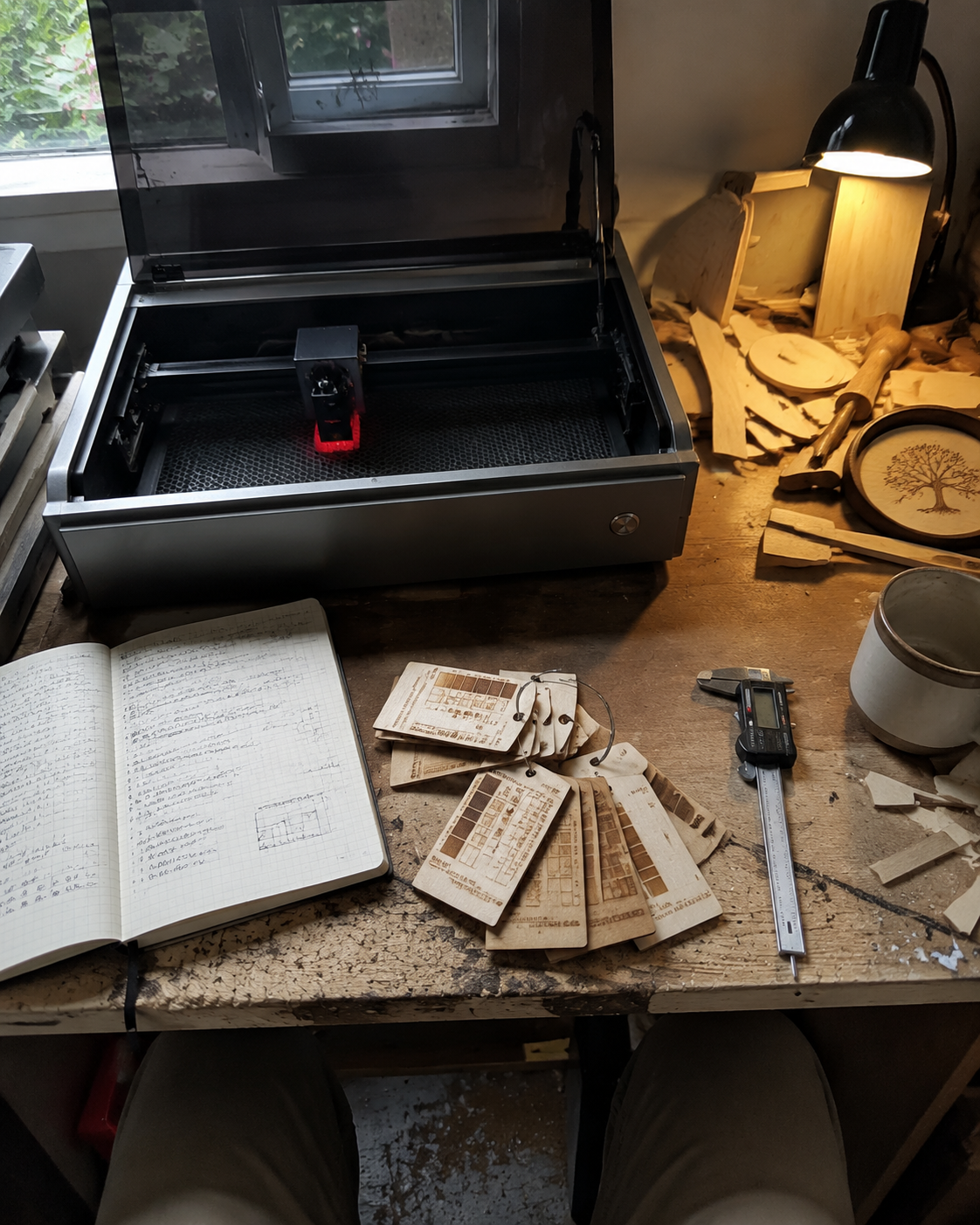
"Six months in now. The ring of old cards by the machine has turned into the most useful thing in my workshop, because when a wood behaves oddly I have last winter's card to compare it against. That part I did not expect when I bought it."
"Works well and I use it constantly. Only reason it is four and not five is that the full guide is long and I had to hunt for the section I wanted. The one page starter is excellent though, start there and ignore the rest until you need it."
"MY EDGES STOPPED BURNING. sorry for shouting but that was the whole problem and I was fixing it by adding power which was exactly backwards"
Questions before you order?
Any questions? Contact us at support@lasersettingspro.com, we will reply within 24 hours.
+−LightBurn has a free test generator. Why would I pay for this?
+−Every laser is different, even two of the same model. So how can these settings work?
+−My machine is not an xTool. Will this work?
+−I have not even plugged the machine in yet. Is it too early?
+−Do I need experience?
+−Which software do I need?
LightBurn users open one file and everything is already set: twelve panels, one pass, about twenty minutes.
xTool Studio builds one layer per colour and has no per-shape power control, so the two power-by-speed grids cannot live in a file. You get one file, thirteen rows of settings to type once, and ten panels that run straight from it. The two grid panels stay on the card with the exact speed and power ranges for your machine printed inside them: Studio builds that grid in one click, and you write the result on the line. Same card, same ring, same twenty minutes.
Anything else that opens an SVG works too: import it and assign settings by colour.